
Embed Your GitHub Repo Files like Gists Using EdGitHub

Embed Your GitHub Repo Files like Gists


    Website Link :- https://edgithub.vercel.app/ (EdGitHub)
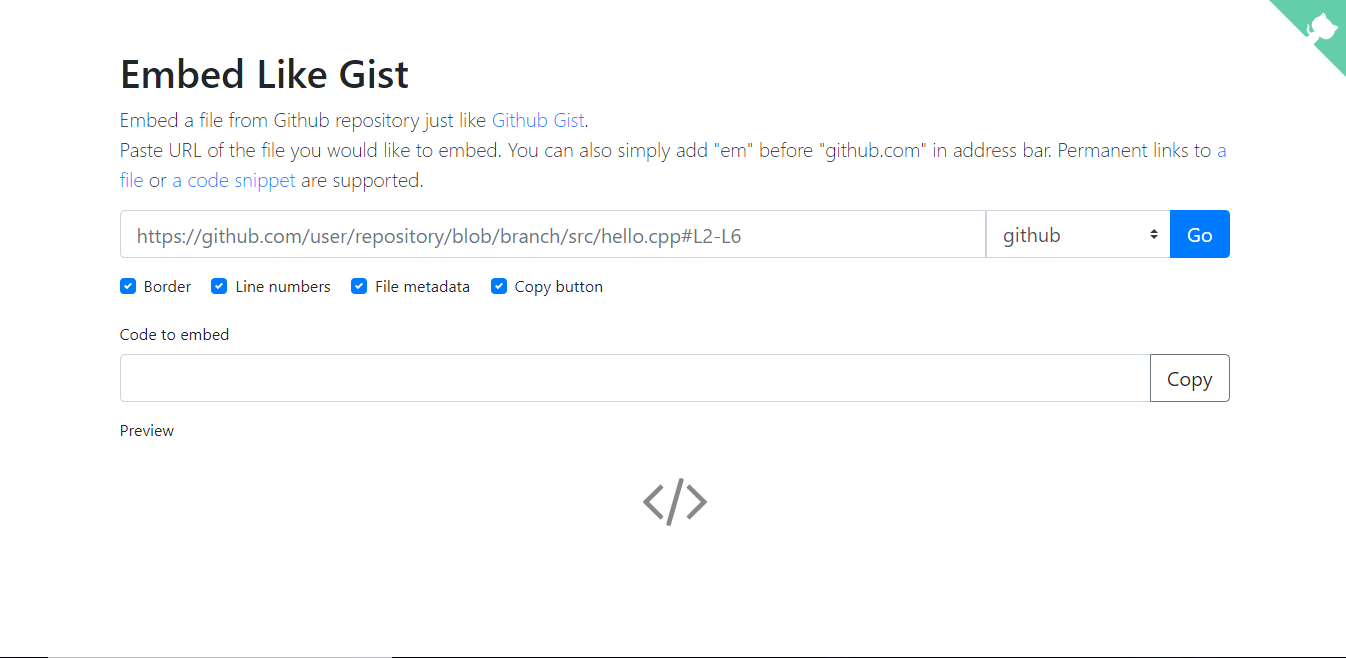

See the homepage


Copy your GitHub File Link


Paste it and Choose your Theme - See Preview Also


See Preview - and Copy paste the embed code generated to your website


    Website Link :- https://edgithub.vercel.app/ (EdGitHub)


More Features may come soon...


See Demo GitHub File :- https://github.com/MrShaded/Rolling-Forests/blob/master/index.html (A JavaScript Game Code)

Inspired From :- 

Embed Like Gist - https://emgithub.com/


Here See Demo :-


Comments

∅ ÜÑKÑØWN said…
//Chats During Video Making...


Embed Your GitHub Repo Files like Gists Using EdGitHub

if you want to know how to add this heartclick effect and line loader on website see my previous videos...

or see my blog...


Let's Start...


In previous video I had shown you that how to embed the github gist .(By default feature)

but we will use emgithub or edgithub to embed github repo files because for github files there is no any direct option for embed ...


So Let's Start...

We will embed a Game Code file to our website/Blog...


See Previews ...

Here we get an embed code...
Let's Paste it...

See here all features are given of github gist...

Here is Shortcut also...

So thanks for watching...
till now...

I hope you guys enjoyed , and learnt something or manythings from this top revealed video...

Thaks...

/
/
/
/
/

Article link is in description....


Popular posts from this blog

FamilyAlbum - Free Unlimited Storage - Share Family Photos and Videos - Auto-Organized Album

Website :- https://family-album.com Play Store :- https://play.google.com/store/apps/details?id=us.mitene Description from Play Store The best way to safely share and organize your family’s photos and videos. Unlimited storage, no ads, and it’s free! 3 Reasons to Start Your Album: 1) You’ll love it YOUR MEMORIES ON DISPLAY. Show off your photos and videos in a way that’s both beautiful and intuitive. Everything is automatically sorted by month, complete with your child’s age. Just swipe the screen to go back in time! UNLIMITED STORAGE. Back up all your memories for free. STREAMLINED SHARING. No more sharing the same photo with five different group chats. All your photos, all your videos, all your favorite people, all in one place. YOUR PRIVACY IS OUR PRIORITY. Your album is completely private. All content you upload to the app belongs to you, and it can only be viewed by you and the family and friends you invite. That also ...

Plyr.io Video Player - Integration - Skin Customizing - Adding Download Button

Plyr.io Video Player - Integration - Skin Customizing - Adding Download Button See the Pen Plyr.io Video Player - Skin Customizing to pink by SH20RAJ ( @SH20RAJ ) on CodePen . Integration :-  or Get Plyr CDNS From CDNJS Plyr <!-- Docs styles --> <link rel="stylesheet" href="https://cdn.jsdelivr.net/gh/CDNSFree2/Plyr/plyr.css" /> or Use CDNJS for CDN <link rel="stylesheet" href=" https://cdnjs.cloudflare.com/ajax/libs/plyr/3.6.7/plyr.min.css" /> <!--Add a Simple HTML5 Video tag--> <video controls data-poster="https://cdn.plyr.io/static/demo/View_From_A_Blue_Moon_Trailer-HD.jpg" class="vid1"> <!-- Video files --> <source src="https://rebrand.ly/sample-video" type="video/mp4" size="576" /> </video> <script src="https://cdnjs.cloudflare.com/ajax/libs/plyr/3.6.7/plyr.min.js"...

Random Posts